
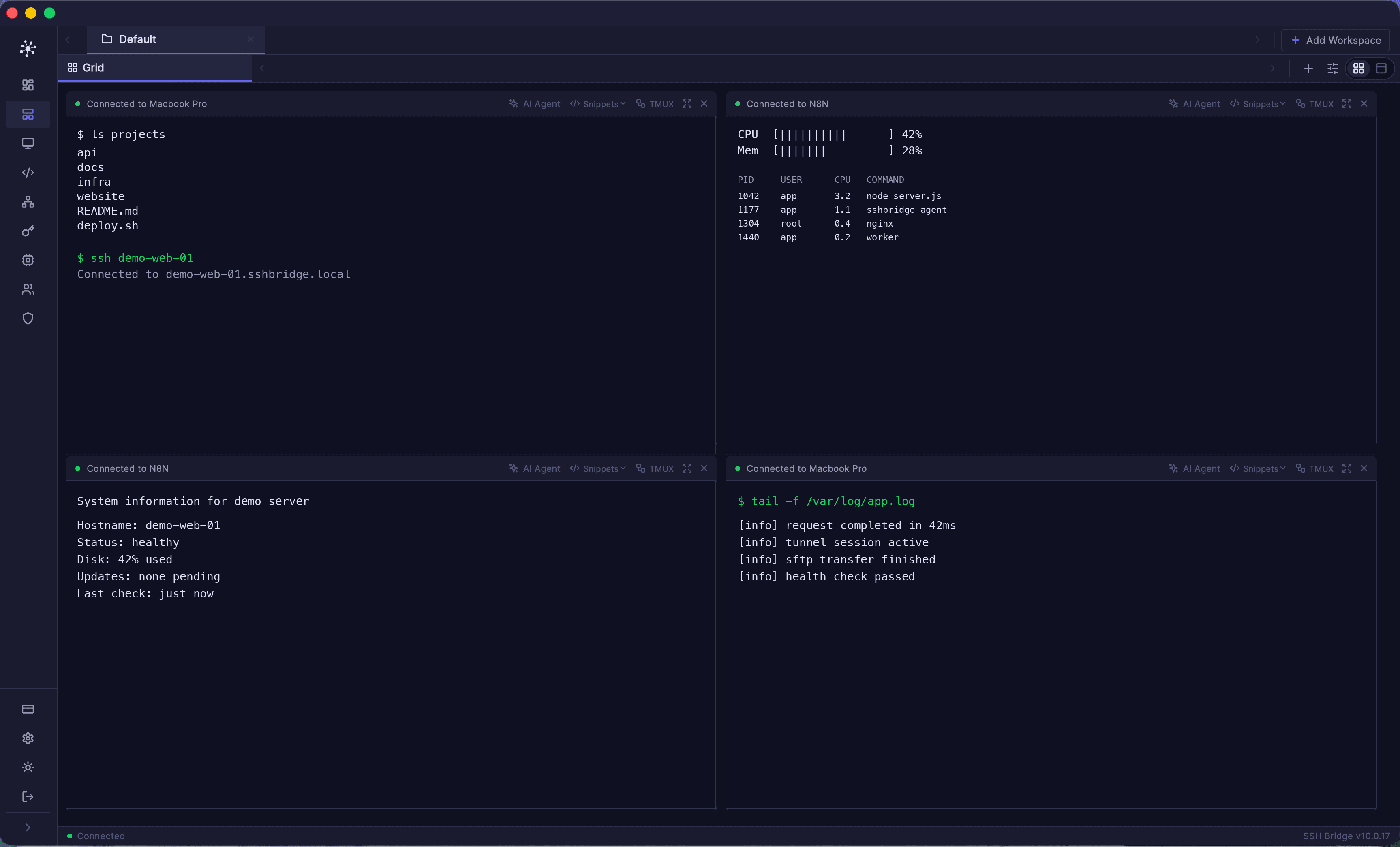
Terminal workspace
Multi-pane SSH workspaces with persistent terminal context.
Product
SSH Bridge brings SSH, RDP, VNC, database tools, persistent sessions, files, tunnels, private networking, team access, 2FA, SSO, revocation, and admin controls into one infrastructure access platform.
Product Screenshots
Multi-pane SSH workspaces with persistent terminal context.
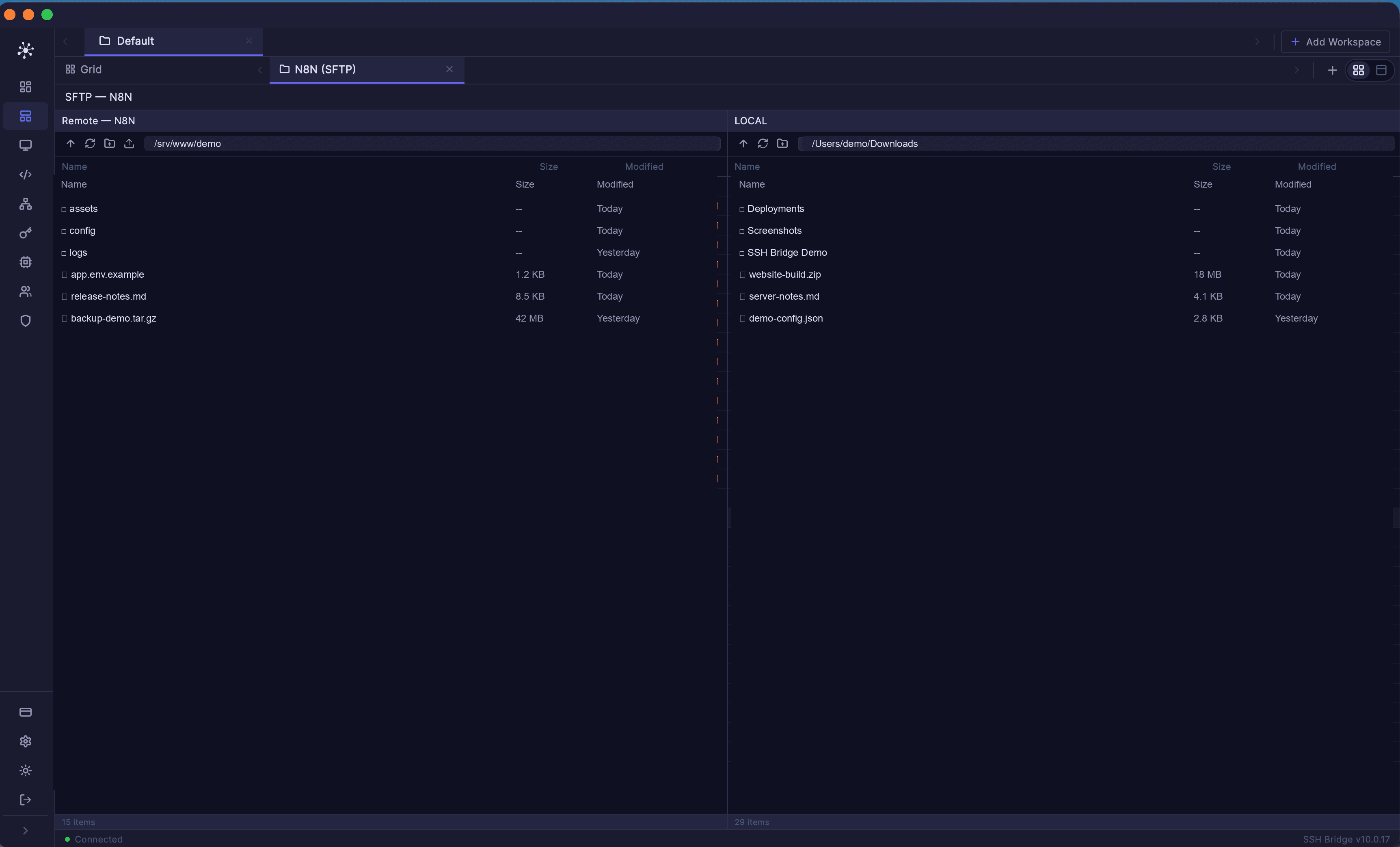
Remote and local file browsing in the same SSH workflow.
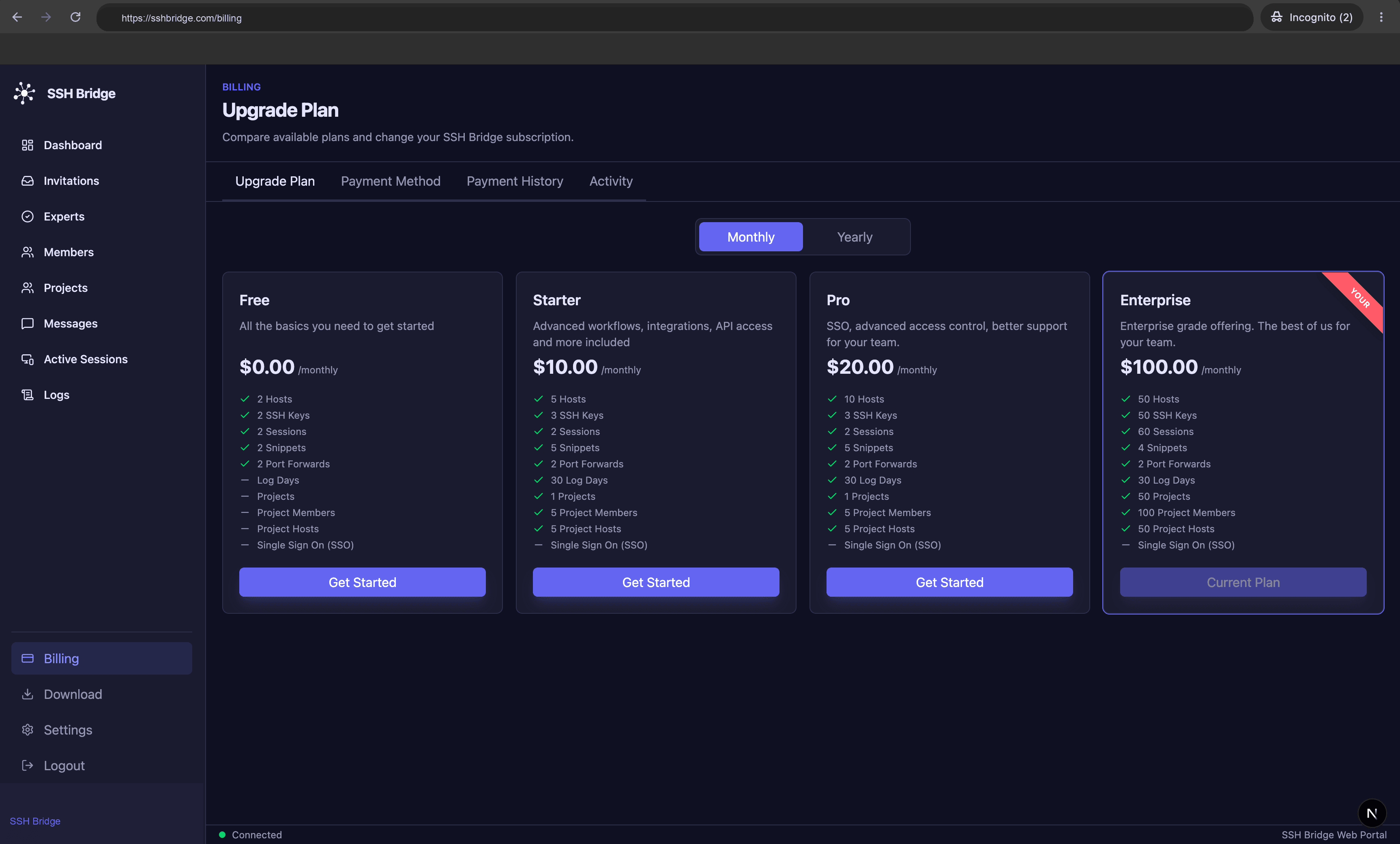
Plan comparison and subscription controls for teams.
Control
Save RDP and VNC hosts, validate connection requirements, open sessions through the SSH Bridge Desktop app, organize desktops into groups, and grant encrypted access to project members.
Build
Use vault-encrypted profiles or SSH tunnels to open MySQL, PostgreSQL, SQL Server, SQLite, Oracle, MongoDB, and Redis through the SSH Bridge Desktop app.
Collaborate
Start a video meeting immediately or schedule it for later, invite project members and accepted experts, share your screen, and manage recurring meeting series.
Connect
Open SSH sessions through SSH Bridge Desktop or mobile with xterm support, tabs, grid layouts, mobile shortcut controls, host-key warnings, and automatic tmux-backed persistence.
Organize
Keep every server organized with host groups, labels, colors, managed SSH keys, encrypted password authentication where required, and quick actions for SSH or SFTP.
Reach
Use the built-in private mesh to reach machines behind NATs and firewalls. Desktop devices can be added from My Network, while mobile devices can register automatically when the app needs network access.
Move
Browse remote paths, inspect local files, create folders, upload, download, delete, and transfer files through the SSH Bridge file tools.
Tunnel
Create local, remote, and dynamic SOCKS forwarding rules for databases, internal services, development servers, and secure browsing.
Automate
Save common commands, assign them to hosts, launch them quickly, and share team-approved commands without retyping risky shell snippets.
Observe
Install a lightweight monitor agent on selected hosts to send heartbeat updates and basic resource metrics back to SSH Bridge.
Secure
Manage SSH keys, protect private material with the encrypted vault, verify host keys, and keep trusted known-host entries visible.
Protect
Add a second verification step to SSH Bridge account sign-in so access to hosts, keys, snippets, and team resources is harder to compromise.
Share
Invite project members, assign roles, share access to hosts, and manage approved SSH keys and snippets with read-only access where appropriate.
Identity
Connect SSH Bridge to your company identity provider with SAML or OIDC single sign-on, verified domains, and centralized access for company workers.
Operate
Track active sessions, review logs, watch plan usage, manage Stripe billing, and keep administration workflows in one place.